microsoft/resnet-101 ↗
- source model id
- HuggingFace/microsoft-resnet-101@1
- hosting
- foundry-managed-compute
- platforms
- Microsoft Foundry
- license
- apache-2.0
- architecture
- input_modalities
- output_modalities
- capabilities
 Sign in
# ResNet-101 v1.5 ResNet model pre-trained on ImageNet-1k at resolution 224x224. It was introduced in the paper [Deep Residual Learning for Image Recognition](https://arxiv.org/abs/1512.03385) by He …
azureFoundry/HuggingFace/microsoft-resnet-101@1
ResNet model pre-trained on ImageNet-1k at resolution 224x224. It was introduced in the paper Deep Residual Learning for Image Recognition by He et al.
Disclaimer: The team releasing ResNet did not write a model card for this model so this model card has been written by the Hugging Face team.
ResNet (Residual Network) is a convolutional neural network that democratized the concepts of residual learning and skip connections. This enables to train much deeper models.
This is ResNet v1.5, which differs from the original model: in the bottleneck blocks which require downsampling, v1 has stride = 2 in the first 1x1 convolution, whereas v1.5 has stride = 2 in the 3x3 convolution. This difference makes ResNet50 v1.5 slightly more accurate (~0.5% top1) than v1, but comes with a small performance drawback (~5% imgs/sec) according to Nvidia.
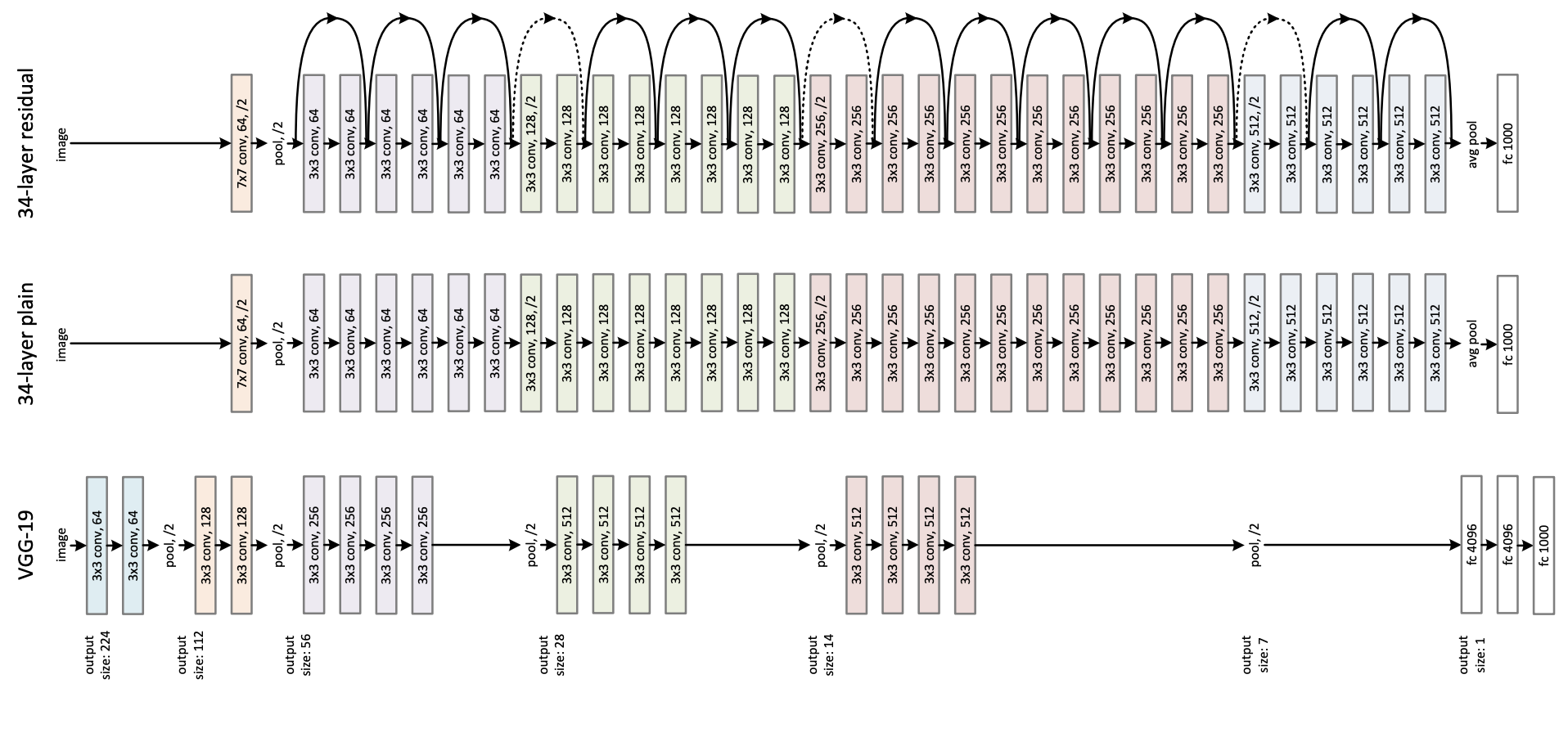
You can use the raw model for image classification. See the model hub to look for fine-tuned versions on a task that interests you.
Here is how to use this model to classify an image of the COCO 2017 dataset into one of the 1,000 ImageNet classes:
from transformers import AutoFeatureExtractor, ResNetForImageClassification
import torch
from datasets import load_dataset

dataset = load_dataset("huggingface/cats-image")
image = dataset["test"]["image"][0]

feature_extractor = AutoFeatureExtractor.from_pretrained("microsoft/resnet-101")
model = ResNetForImageClassification.from_pretrained("microsoft/resnet-101")

inputs = feature_extractor(image, return_tensors="pt")

with torch.no_grad():
    logits = model(**inputs).logits

# model predicts one of the 1000 ImageNet classes
predicted_label = logits.argmax(-1).item()
print(model.config.id2label[predicted_label])
For more code examples, we refer to the documentation.
@inproceedings{he2016deep,
  title={Deep residual learning for image recognition},
  author={He, Kaiming and Zhang, Xiangyu and Ren, Shaoqing and Sun, Jian},
  booktitle={Proceedings of the IEEE conference on computer vision and pattern recognition},
  pages={770--778},
  year={2016}
}
microsoft/resnet-101 powered by Hugging Face Inference Toolkit
You can use cURL or any REST Client to send a request to the AzureML endpoint with your AzureML token.
curl <AZUREML_ENDPOINT_URL> \
    -X POST \
    -H "Authorization: Bearer <AZUREML_TOKEN>" \
    -H "Content-Type: image/jpeg" \
    --data-binary @"image.jpg"
Check the full API Specification at the Hugging Face Inference documentation.
1–1 / 1
1–4 / 4
Hugging Face · microsoft/resnet-101 ↗
Microsoft Foundry · Model page ↗
1–1 / 1
These charts contain model-linked results. The charts above also include unlinked source profiles. Compare scores within each evaluation. Model quality, usage, transparency and system performance measure different things.